
Backtest Lab
Replay scan-style rules on historical data and inspect forward returns.
Page screenshot
Numbered markers highlight areas described in the steps below (desktop layout).
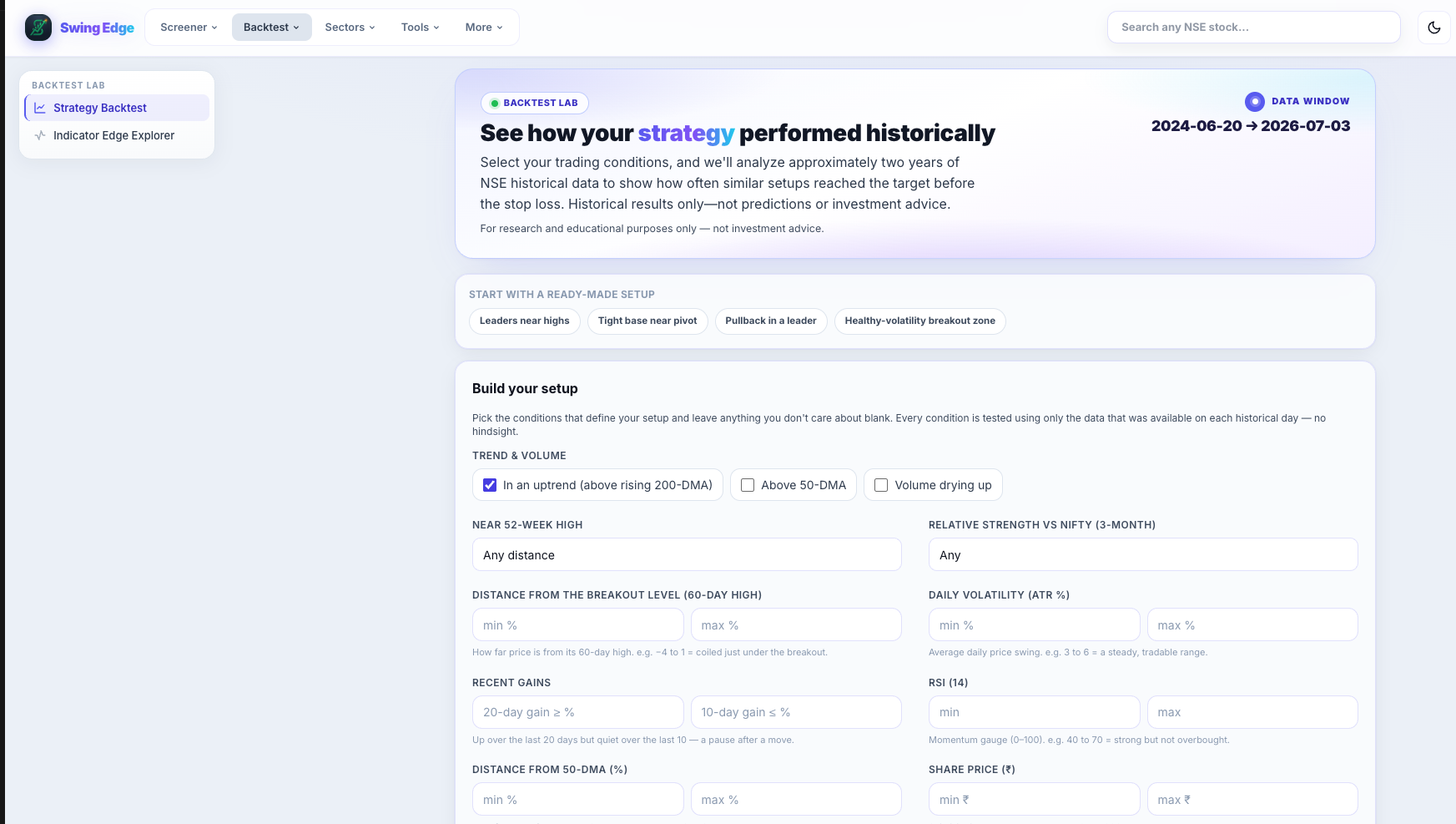
- Strategy Backtest
- Backtest hero
- Ready-made setups
- Trend & volume rules
- RSI / ATR filters
Screenshot coming soon
Add desktop.png under static/tutorials/backtest-lab/
Step-by-step
-
Purpose
Study how a scanner rule set behaved in the past — hit rate, average gain, drawdown over fixed forward windows (e.g. 20/60 sessions). Not a live picker.
-
Scan type
Choose which rule family to replay (base, breakout, breakdown, etc.) — mirrors production scanner logic on old dates.
-
Date range
Start and end dates for signal generation. Longer ranges = more samples but mixed regimes.
-
Score cuts
Minimum score filters to see if higher-score subsamples changed outcomes in history.
-
Results panel
Hit rate (% signals with positive forward return), average/max gain, average drawdown, sample count.
-
Forward windows
Returns measured from signal close over N days — standardized horizons, not hold-to-exit advice.
-
Limitations
Survivorship, liquidity, and slippage are simplified. Past stats do not predict future results.
Detailed reference
Hit rate
Share of signals that closed higher (or met the win definition) by the end of the forward window in the backtest engine.
Drawdown in backtest
Worst peak-to-trough move against the signal within the forward window — risk context for rule research.
Open in the app
FAQ
What does the Strategy Backtest tutorial cover?
Replay scan-style rules on historical data and inspect forward returns.
Is the Strategy Backtest tutorial investment advice?
No. Swing Edge tutorials explain scan data and app features for your own research. They do not recommend buying, selling, or holding any security.
How do I get started with Strategy Backtest on Swing Edge?
Purpose: Study how a scanner rule set behaved in the past — hit rate, average gain, drawdown over fixed forward windows (e.g. 20/60 sessions). Not a live picker.