
Base Formation page
Stocks that matched base-building rules and have not yet cleared the scan pivot.
Page screenshot
Numbered markers highlight areas described in the steps below (desktop layout).
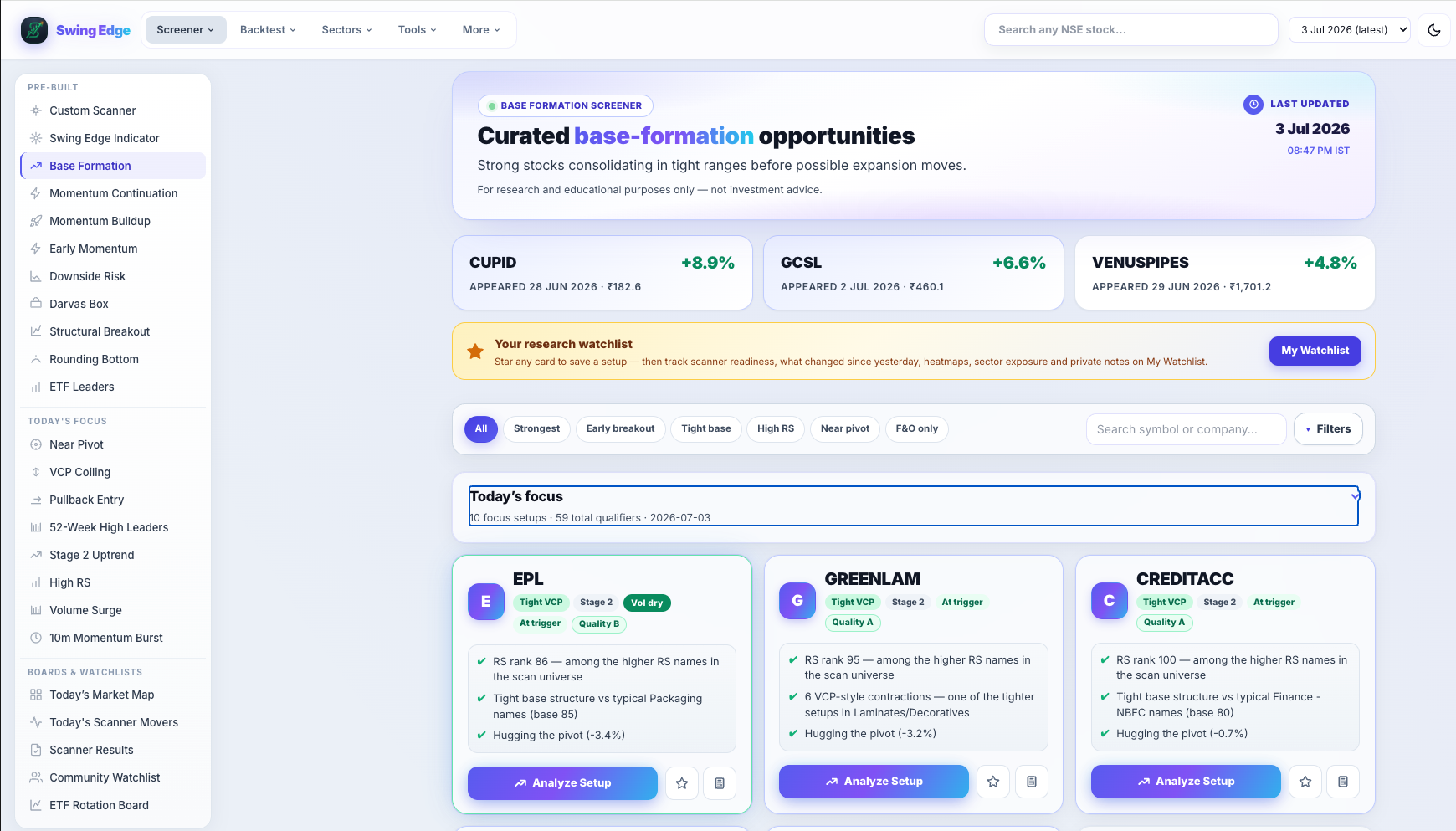
- Active screener (sidebar)
- Page hero & scan date
- Filter & search bar
- Result card
Screenshot coming soon
Add desktop.png under static/tutorials/base-formation/
Step-by-step
-
What appears here
Names consolidating in a base-like range near resistance — stage, pivot, RS, and volume rules must all pass. A row means the model saw base structure, not that a breakout is guaranteed.
-
Pivot
The scan’s reference break level (often the base high or a computed pivot). From pivot on each card shows how far price is below that level as a percentage.
-
Filter pills
All shows every saved row (typically ~60 names). Strongest, Moderate, F&O, VCP, Vol Dry, and other pills slice the same list on your screen.
-
Pattern tags
VCP, Vol Dry, HTF setup, and similar tags describe shape in the model. Tap the card or open the stock page for scores and history.
-
Watchlist star
When signed in, save symbols to My Watchlist from any card. The star does not change scan membership.
-
When a name leaves
If price clears the pivot with enough volume in our breakout rules, the symbol may appear on Momentum Buildup or Momentum Continuation instead of here.
Detailed reference
Base quality (Base Q)
How tight and shallow the base looked to the rules — higher generally means a cleaner, more compressed range.
VCP tag
Volatility Contraction Pattern — shrinking pullbacks and often lighter volume on the right side of the base. See the VCP pattern page for the full definition.
Filter pills
Pills like All, Strongest, F&O, Vol Confirmed, and Leading RS only hide rows on your screen. They do not re-run the scan or change saved data.
Open in the app
FAQ
What does the Base Formation tutorial cover?
Stocks that matched base-building rules and have not yet cleared the scan pivot.
Is the Base Formation tutorial investment advice?
No. Swing Edge tutorials explain scan data and app features for your own research. They do not recommend buying, selling, or holding any security.
How do I get started with Base Formation on Swing Edge?
What appears here: Names consolidating in a base-like range near resistance — stage, pivot, RS, and volume rules must all pass. A row means the model saw base structure, not that a breakout is guaranteed.