
How scanners work
Same data engine, different filters — and what the scores mean.
Page screenshot
Numbered markers highlight areas described in the steps below (desktop layout).
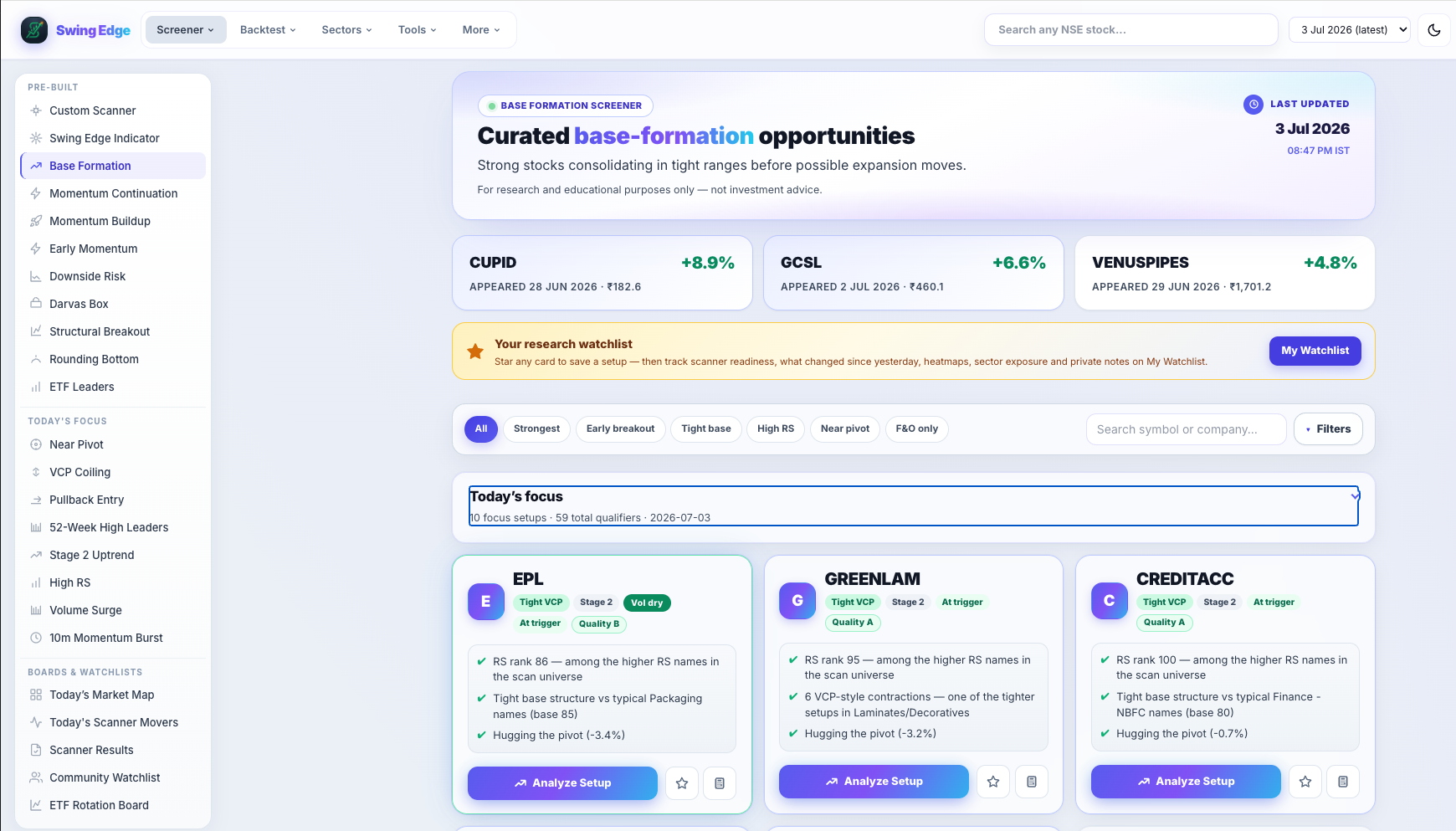
- Active screener (sidebar)
- Page hero & scan date
- Filter & search bar
- Result card
Screenshot coming soon
Add desktop.png under static/tutorials/scanners-overview/
Step-by-step
-
One engine, many pages
All pre-built scanners use the same nightly NSE pass. Each page keeps rows that pass its own rules (base shape, breakout state, patterns, etc.).
-
Result cards
Each card shows a score ring, signal label, tags, and short notes. These describe what the model saw — not what you should do.
-
Total score
0–100 blend of Base Q, RS, volume participation, and failure-risk penalties. Higher = stronger match to that scanner’s ideal row.
-
Signal bands
Very Strong down to Weak map to score ranges — quick shorthand on the card ring.
-
RS rank
Percentile vs every other symbol in that night’s scan. 80+ is top quintile; compare across cards on the same date only.
-
Filter pills
All, Strongest, F&O, Vol Confirmed, Leading RS, and pattern pills hide rows client-side. Underlying saved list unchanged.
-
F&O pill
Keeps symbols on the NSE F&O list — liquid names with derivatives. List source: exchange F&O universe.
-
Guest vs signed in
Guests see a preview count of cards. Sign in for full lists, watchlist, and terminal.
Detailed reference
Common fields
- RS rank — strength vs other names in the same scan.
- Vol Q — how volume looked (dry-up, surge, etc.).
- Base Q — how tight the base looked to the model.
- From pivot — distance from the scan’s pivot level.
- Fail risk — model flag for weak or extended structure.
Open in the app
FAQ
What does the Scanners overview tutorial cover?
Same data engine, different filters — and what the scores mean.
Is the Scanners overview tutorial investment advice?
No. Swing Edge tutorials explain scan data and app features for your own research. They do not recommend buying, selling, or holding any security.
How do I get started with Scanners overview on Swing Edge?
One engine, many pages: All pre-built scanners use the same nightly NSE pass. Each page keeps rows that pass its own rules (base shape, breakout state, patterns, etc.).