
ETF Leaders page
Equity ETFs ranked by 3-month RS vs Nifty 500.
Page screenshot
Numbered markers highlight areas described in the steps below (desktop layout).
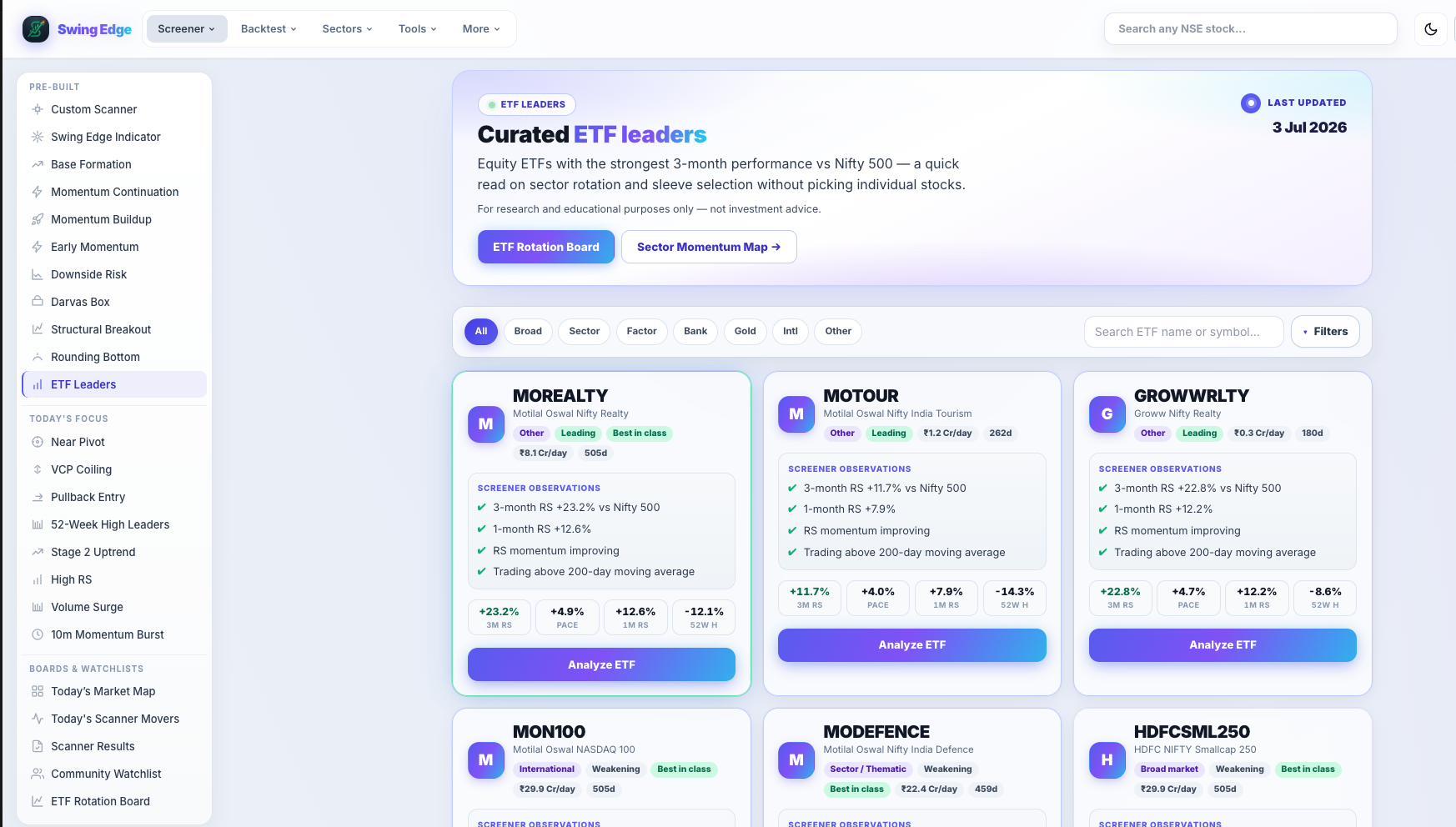
- ETF Leaders (sidebar)
- ETF leaders hero
- Category filters
- 3M RS vs Nifty 500
- Analyze ETF
Screenshot coming soon
Add desktop.png under static/tutorials/etf-leaders/
Step-by-step
-
Universe
Equity ETFs on NSE only — no single-stock rows. For sector/thematic fund research.
-
3M RS vs Nifty 500
Primary sort: relative strength over ~3 months vs the Nifty 500 benchmark. Higher = outperformed the broad index in that window.
-
Table columns
Symbol, RS metric, recent returns, and links to detail where available. Read like a leaderboard, not advice.
-
Use cases
Find strong sectors via ETF RS, compare fund vehicles, or pair with sector maps on the Sectors pages.
-
Disclaimer
Same research-only stance as stock scanners — no allocation recommendation.
-
Refresh
Updates with nightly data like other screeners.
Detailed reference
RS vs Nifty 500
Compares ETF price performance to the Nifty 500 index over the lookback — not the same RS rank percentile used on single-stock cards.
Open in the app
FAQ
What does the ETF Leaders tutorial cover?
Equity ETFs ranked by 3-month RS vs Nifty 500.
Is the ETF Leaders tutorial investment advice?
No. Swing Edge tutorials explain scan data and app features for your own research. They do not recommend buying, selling, or holding any security.
How do I get started with ETF Leaders on Swing Edge?
Universe: Equity ETFs on NSE only — no single-stock rows. For sector/thematic fund research.