
Darvas Box page
Names where a Nicolas Darvas-style box pattern matched in the scan.
Page screenshot
Numbered markers highlight areas described in the steps below (desktop layout).
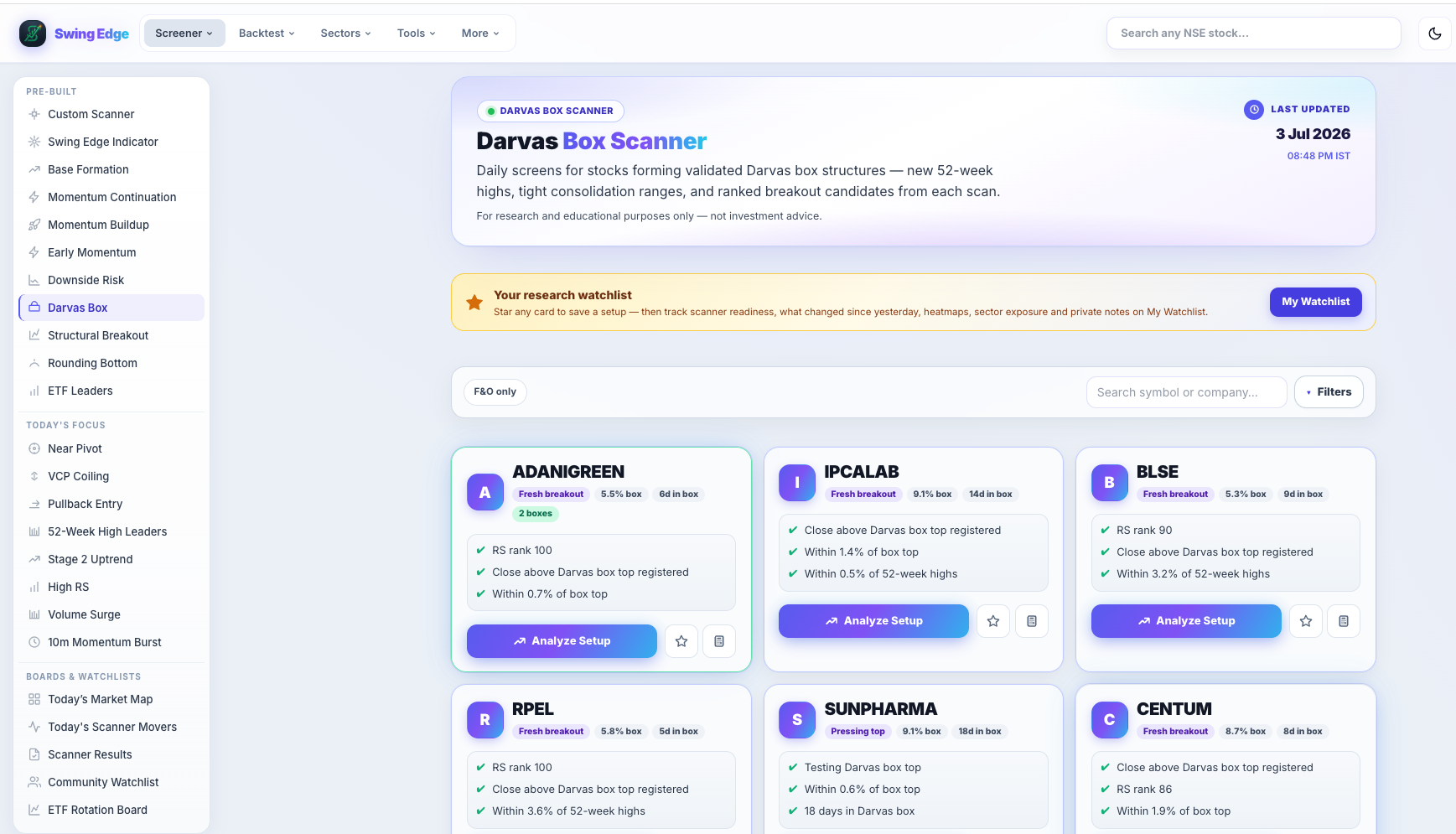
- Active screener (sidebar)
- Page hero
- F&O toggle & search
- Tags & scan notes
- Analyze Setup
Screenshot coming soon
Add desktop.png under static/tutorials/darvas-box/
Step-by-step
-
Pattern idea
Price trades inside a defined box (horizontal top and bottom). A break above the box top with volume upgrades the state on the card.
-
Box top & bottom
The scan computes box boundaries from recent swing highs and lows. From pivot / distance fields show where price sits vs the box top.
-
State tags
Active — inside the box. Near breakout / pressing — hugging the top. Breakout — cleared above with volume in the rules.
-
Score gate
Featured rows typically need score ≥ 65 on this scanner (slightly lower threshold than some primary lists). Check the card ring for the exact score.
-
Volume on break
Breakout states require participation vs recent averages — low-volume pokes are downgraded. See Vol Q on the card.
-
Filters
Filter by state or strength pills. F&O limits to liquid derivative names.
-
Pattern reference
Longer write-up on /patterns/darvas-box. Stock page shows box levels when available.
Detailed reference
Darvas box states
- Active — price inside the box range.
- Near breakout / pressing — at or testing the box top.
- Breakout — close above box top with volume confirmation in rules.
Fields on each card
- Total score (0–100) — weighted mix of base quality, RS, volume participation, and failure-risk flags.
- Signal — short label from the score band (Very Strong down to Weak). Describes the row, not an action.
- RS rank — percentile vs other names in the same nightly scan (higher = stronger relative performance).
- Vol Q — volume quality tag (dry-up in a base, surge on a break, low participation on a clear, etc.).
- From pivot — distance (%) from the scan’s pivot level; extension context only.
- Fail risk — flag when structure looks extended, late, or prone to false breaks in the model.
- Vol ×50d — how the signal-day volume compared to the 50-day average on breakout-style scans.
Filter pills
Pills like All, Strongest, F&O, Vol Confirmed, and Leading RS only hide rows on your screen. They do not re-run the scan or change saved data.
Open in the app
FAQ
What does the Darvas Box tutorial cover?
Names where a Nicolas Darvas-style box pattern matched in the scan.
Is the Darvas Box tutorial investment advice?
No. Swing Edge tutorials explain scan data and app features for your own research. They do not recommend buying, selling, or holding any security.
How do I get started with Darvas Box on Swing Edge?
Pattern idea: Price trades inside a defined box (horizontal top and bottom). A break above the box top with volume upgrades the state on the card.