
Position Sizing tool
Work out share count from capital, risk %, entry, and stop.
Page screenshot
Numbered markers highlight areas described in the steps below (desktop layout).
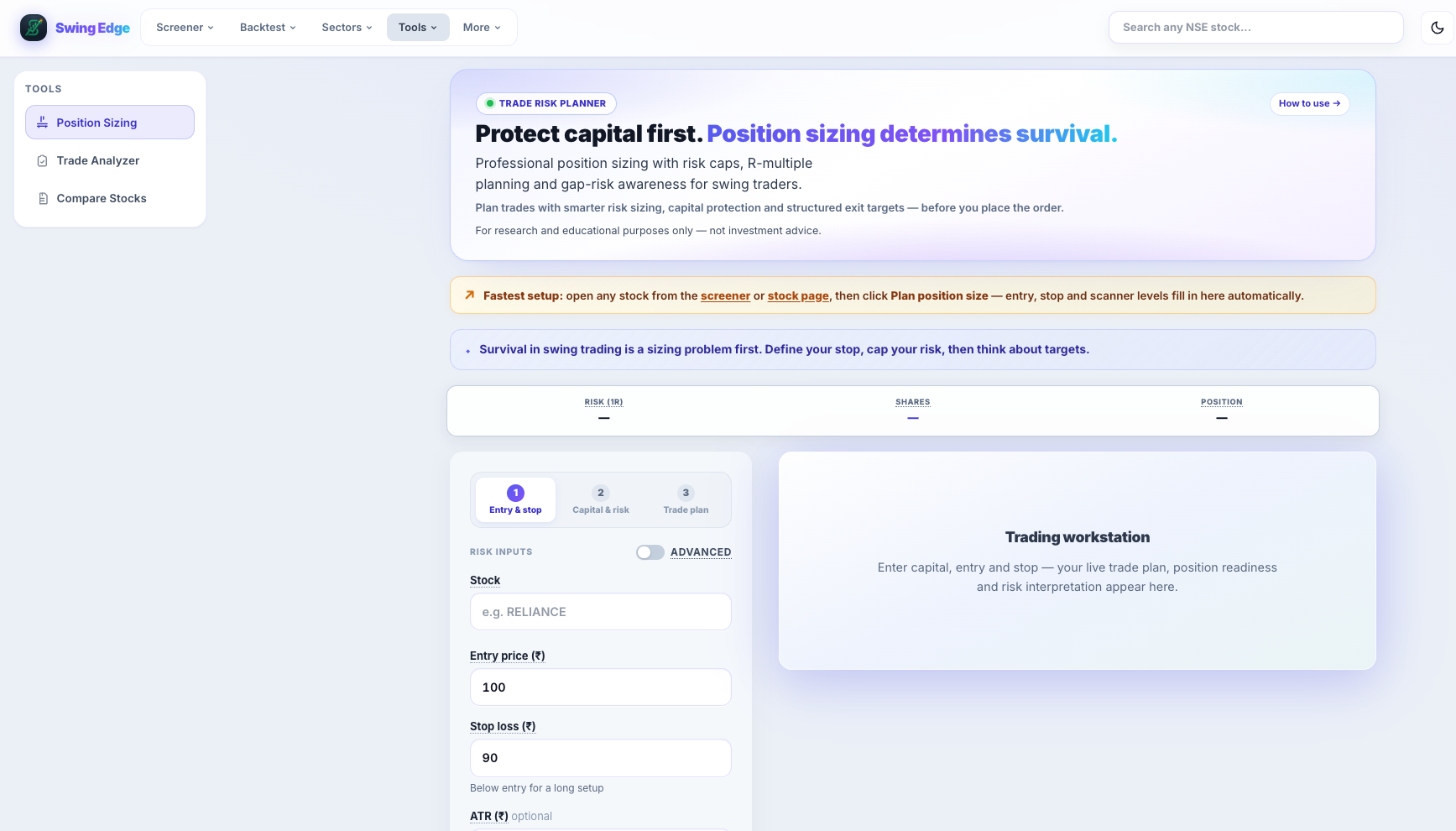
- Position Sizing (Tools)
- Step 1 — Entry & stop
- Entry & stop fields
- Risk / Shares summary
- Trading workstation
Screenshot coming soon
Add desktop.png under static/tutorials/position-sizing/
Step-by-step
-
Symbol search
Type an NSE ticker. Scanner quality checks and ATR may load when we have data — entry and stop are always yours to enter.
-
Entry & stop
Your planned buy level and loss exit. Risk per share = entry minus stop (must be positive for long setups).
-
Capital
Total swing book or sleeve you size against — not necessarily your entire net worth.
-
Risk %
Percent of capital you accept losing if the stop hits (e.g. 1% of ₹10L = ₹10,000 max loss).
-
Results
Share count = floor(risk rupees ÷ risk per share). Also shows position value and weight in the book.
-
ATR suggestion
Optional ATR-based stop distance when ATR data loads — suggestion only; use your own level if you prefer.
-
Save plan
Signed-in users save to My Trade Plans — a worksheet record, not a broker order.
Detailed reference
Risk per share
Entry price minus stop price for a long. The tool uses this to convert your rupee risk budget into a share count.
ATR
Average True Range — a volatility measure. When shown, may suggest a stop distance as a multiple of ATR.
Open in the app
FAQ
What does the Position Sizing tutorial cover?
Work out share count from capital, risk %, entry, and stop.
Is the Position Sizing tutorial investment advice?
No. Swing Edge tutorials explain scan data and app features for your own research. They do not recommend buying, selling, or holding any security.
How do I get started with Position Sizing on Swing Edge?
Symbol search: Type an NSE ticker. Scanner quality checks and ATR may load when we have data — entry and stop are always yours to enter.