
Structural Breakout page
Horizontal resistance levels with swing-structure validation.
Page screenshot
Numbered markers highlight areas described in the steps below (desktop layout).
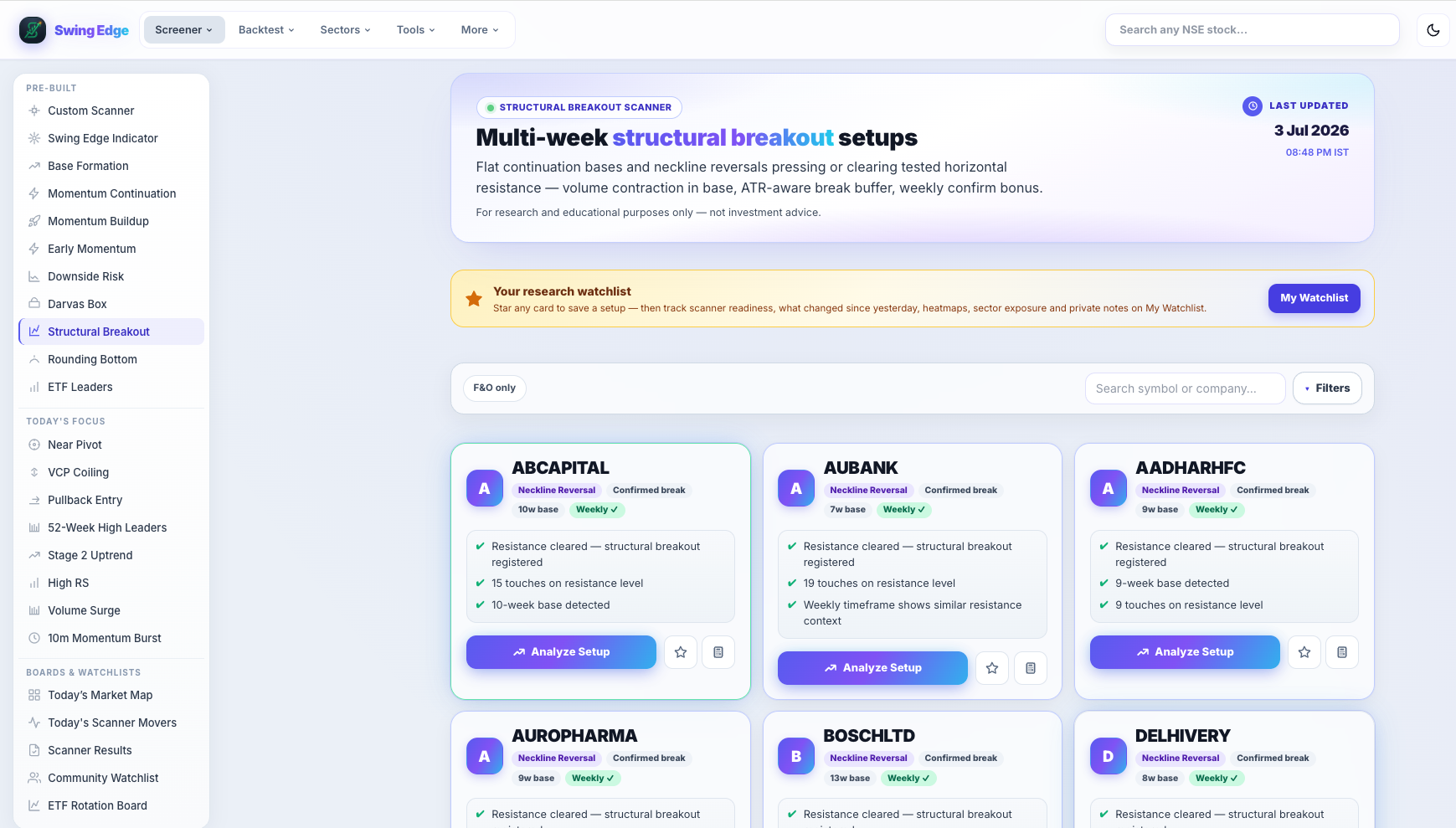
- Active screener (sidebar)
- Page hero
- F&O toggle & search
- Tags & scan notes
- Analyze Setup
Screenshot coming soon
Add desktop.png under static/tutorials/structural-breakout/
Step-by-step
-
What it scans
Identifies clear horizontal break levels from swing highs — then checks whether price is approaching, has broken, or is retesting that level with volume and RS context.
-
Approaching
Price below the level but within a proximity band — testing interest without a confirmed clear yet.
-
Confirmed
Break above the level on volume that passes the scan’s participation rules.
-
Retest
After a break, price pulled back toward the level — common research pattern for support-turned-resistance flips.
-
RS rank
Shown like other scanners — percentile vs the same night’s universe. Context only.
-
Fail risk
Flags false breaks or extended structure. Read alongside state tag.
-
Related scanners
Confirmed clears may also appear on Momentum Buildup depending on lifecycle. Base Formation may still list names below the level.
Detailed reference
Structural level
A horizontal price ceiling from recent swing highs that the model treats as the break reference — not the same as the VCP pivot on Base Formation.
Fields on each card
- Total score (0–100) — weighted mix of base quality, RS, volume participation, and failure-risk flags.
- Signal — short label from the score band (Very Strong down to Weak). Describes the row, not an action.
- RS rank — percentile vs other names in the same nightly scan (higher = stronger relative performance).
- Vol Q — volume quality tag (dry-up in a base, surge on a break, low participation on a clear, etc.).
- From pivot — distance (%) from the scan’s pivot level; extension context only.
- Fail risk — flag when structure looks extended, late, or prone to false breaks in the model.
- Vol ×50d — how the signal-day volume compared to the 50-day average on breakout-style scans.
Filter pills
Pills like All, Strongest, F&O, Vol Confirmed, and Leading RS only hide rows on your screen. They do not re-run the scan or change saved data.
Open in the app
FAQ
What does the Structural Breakout tutorial cover?
Horizontal resistance levels with swing-structure validation.
Is the Structural Breakout tutorial investment advice?
No. Swing Edge tutorials explain scan data and app features for your own research. They do not recommend buying, selling, or holding any security.
How do I get started with Structural Breakout on Swing Edge?
What it scans: Identifies clear horizontal break levels from swing highs — then checks whether price is approaching, has broken, or is retesting that level with volume and RS context.